
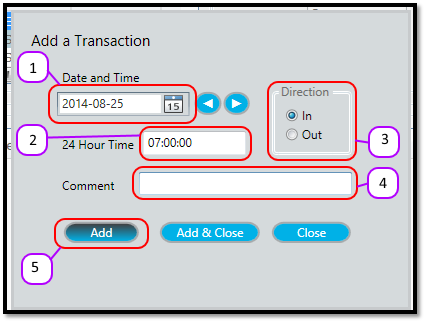
- Select the transactions date in the Date and Time date box.
- Enter the time of the transaction in the 24 Hour Time text box.
- Select whether the transaction will be an In or Out transactions from the Direction group box.
- Optional: Add a comment in the comment box.
- Click the Add button to add the transaction.
Figure 1
Comments
0 comments
Please sign in to leave a comment.