- Click on the Region in the Regions List. (See figure 1)
- Notice the Region Description text box contains the region you selected. (See figure 1)
- Click the Delete (See figure 1)
- Notice the Region is no longer in the Regions List.
Figure 1
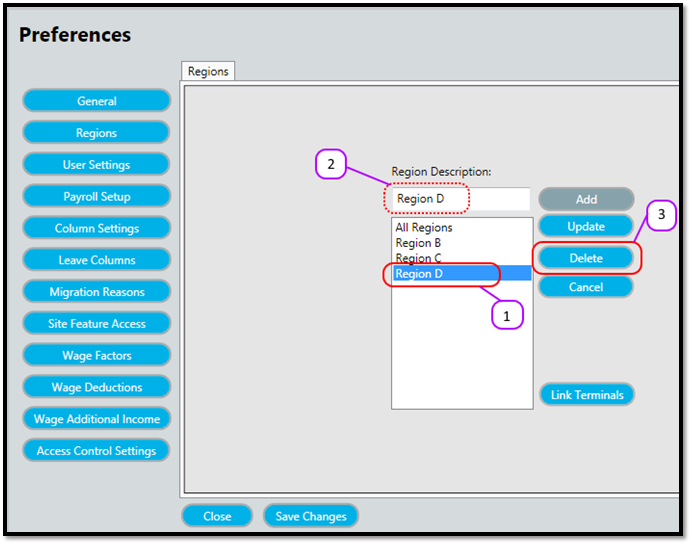
Figure 2
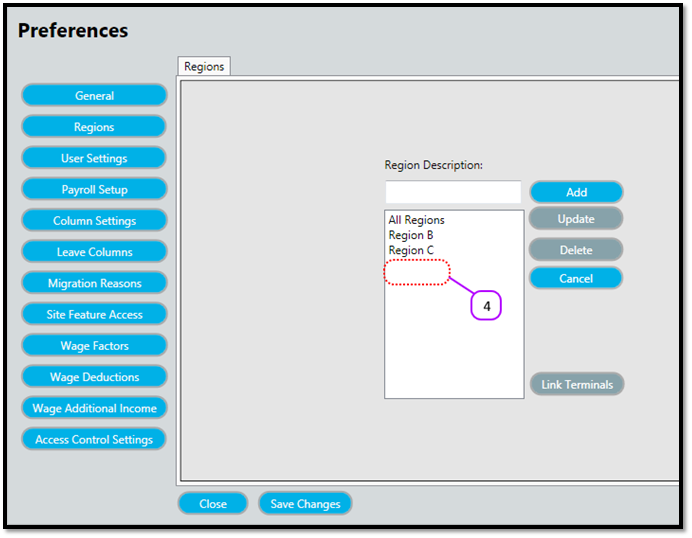

Figure 1
Figure 2
Comments
0 comments
Please sign in to leave a comment.