
- Select the Migration/Adjustment reason from the list. (See figure 1)
- Enter the new name for the reason in the text box. (See figure 1)
- Click the Update button. (See figure 1)
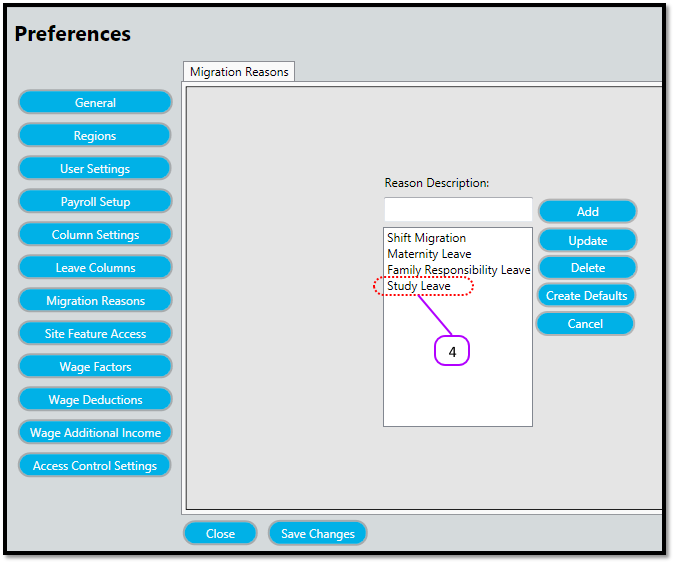
- Notice how the old name disappears and the new one appears on the Migration/Adjustment Reason list. (See figure 2)
Figure 1
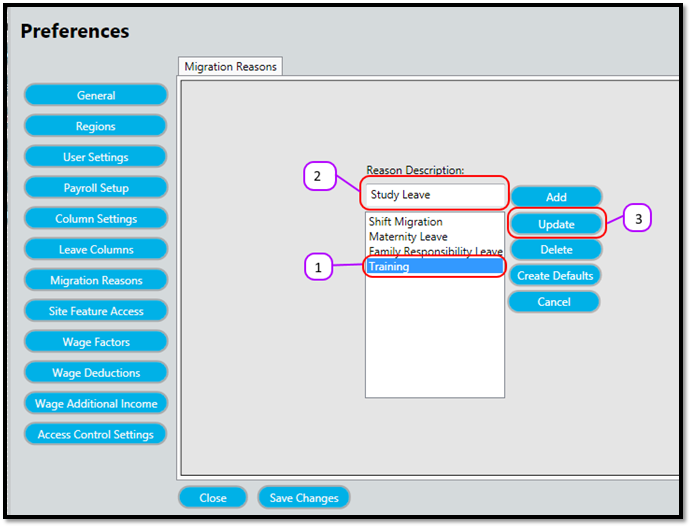
Figure 2
Comments
0 comments
Please sign in to leave a comment.