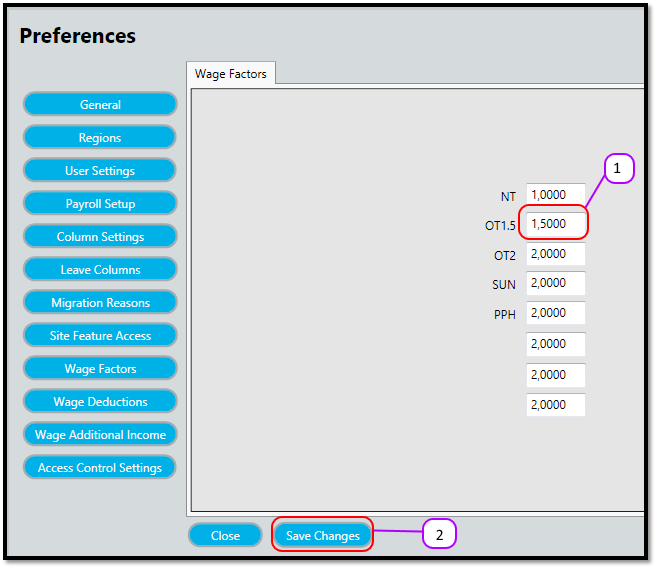
How to update the Wage Factors Kevin Howell July 31, 2017 09:40 Follow Click on the text box of the Wage Factor you want to change and type in the new amount. Please note it can have a maximum of 4 decimal places. (See figure 1) Click the Save Changes (See figure 1) Figure 1 Comments 0 comments Please sign in to leave a comment.

Comments
0 comments
Please sign in to leave a comment.