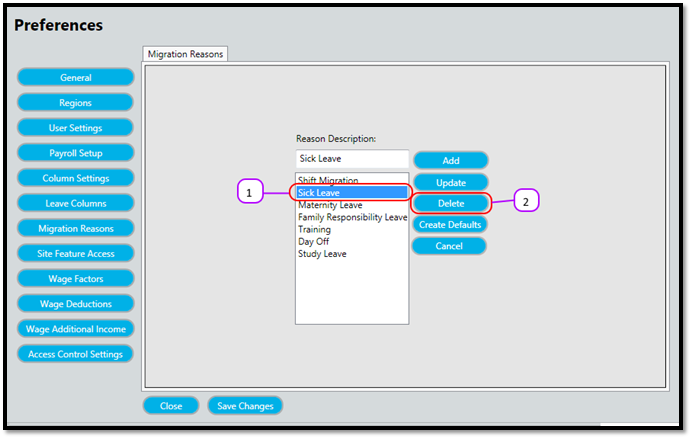
How to delete a Migration/Adjustment Reason Kevin Howell July 31, 2017 09:38 Follow Select the Migration/Adjustment Reason you want to delete from the list. (See Figure 1) Click the Delete (See Figure 1) The Migration/Adjustment Reason will no longer be on the list. Figure 1 Comments 0 comments Please sign in to leave a comment.

Comments
0 comments
Please sign in to leave a comment.