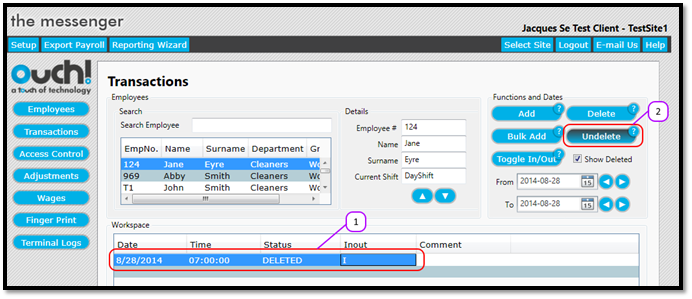
How to undelete a transaction Kevin Howell July 31, 2017 07:05 Updated Follow Select the transaction in the Transactions Workspace. (See Figure 1) Click the Undelete (See Figure 1) Notice how the transaction is no longer marked as deleted. (See Figure 2) Figure 1 Figure 2 Comments 0 comments Please sign in to leave a comment.


Comments
0 comments
Please sign in to leave a comment.