
- Select the adjustment you want to delete in the Workspace. (See Figure 1)
- Click the Delete button to delete the adjustment. (See Figure 1)
- Notice that a Message Box pops up to let you know that the Adjustment was deleted successfully. (See Figure 1).
- Click the OK (See Figure 1)
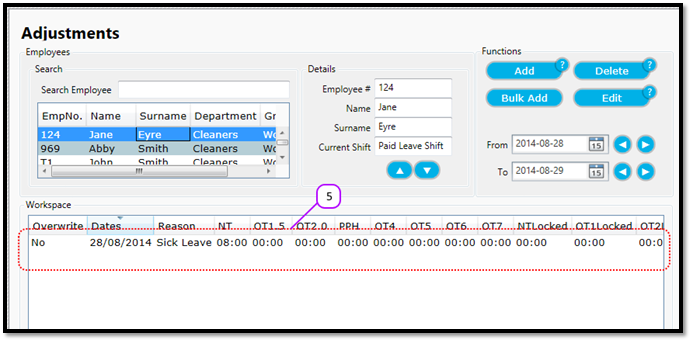
- Notice that the adjustment no longer appears in the adjustment list. (See Figure 2)
Figure 1
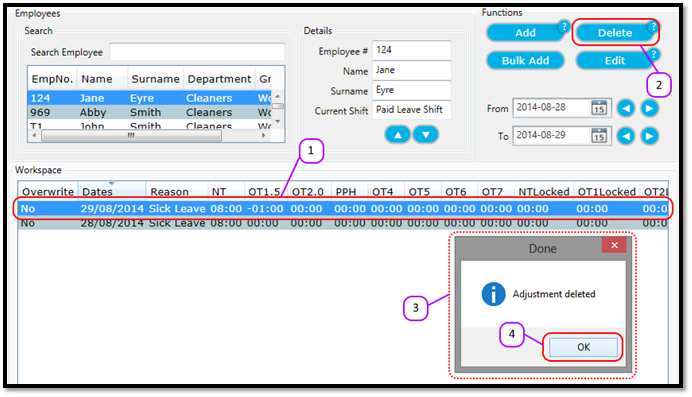
Figure 2
Comments
0 comments
Please sign in to leave a comment.