
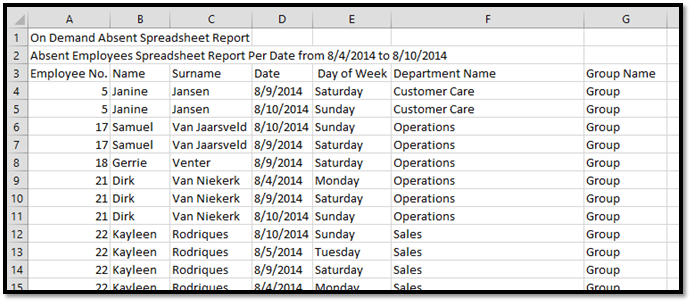
The Excel Absentee report contains the absentee information in an excel format.
The columns of the report are as follows:
- Employee Number (Payroll number)
- Name of Employee
- Surname of Employee
- Date that the employee absent
- Day of the week the employee was absent on
- The Department the employee belongs to
- The Group the employee belongs to.
See screenshot below for an example of the Excel Absentee report.
Figure 1
Comments
0 comments
Please sign in to leave a comment.