
- The department has already been selected in the Current Departments list. (See Figure 1)
- The name of the department is already in the Department Name text box. (See Figure 1)
- Click the Cancel button to deselect the Current Department and clear the Department Name text box. (See Figure 1)
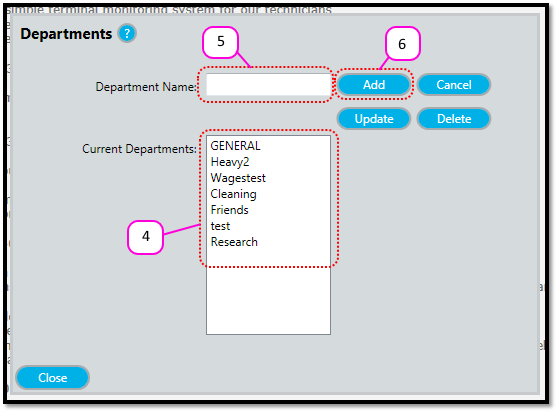
- Notice how there is no longer a Current Department selected. (See Figure 2)
- Notice how there is no Department Name in the text box. (See Figure 2)
- Notice how the Add button has been enabled again. (See Figure 2)
Figure 1
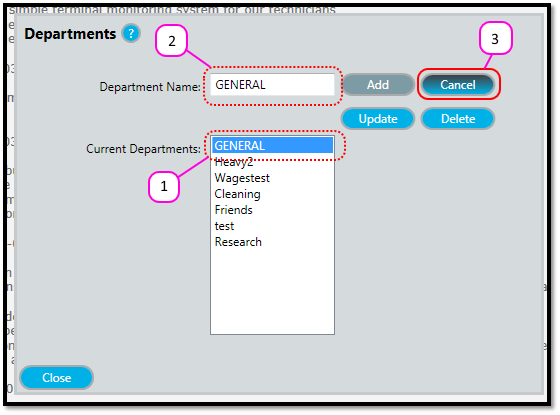
Figure 2
Comments
0 comments
Please sign in to leave a comment.