
- Select the department you want to delete from the Departments (See Figure 1)
- Click the Delete (See Figure 1)
- A message box will pop up asking you if you are sure you want to delete this department and all groups associated with it. (See Figure 2)
- Click the Yes button to continue with the delete, or No to cancel the deleting of the selected department. (See Figure 2)
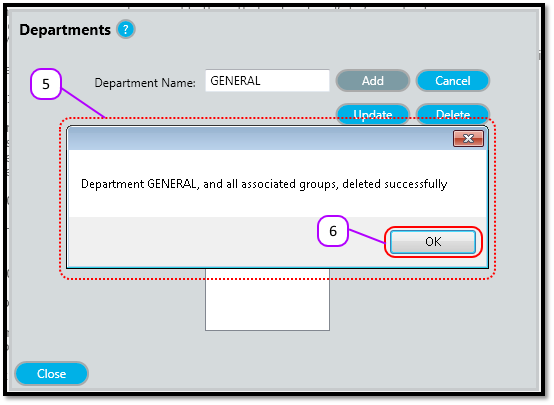
- A message box will pop up to let you know the department was deleted successfully. (See Figure 3)
- Click the OK (See Figure 3)
Figure 1
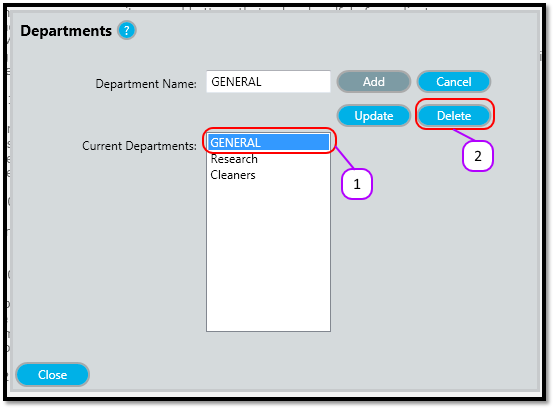
Figure 2
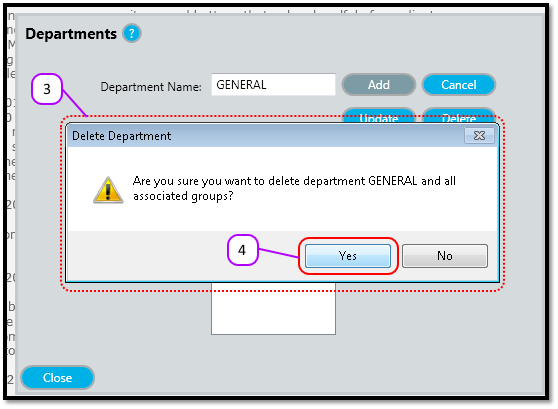
Figure 3
Comments
0 comments
Please sign in to leave a comment.