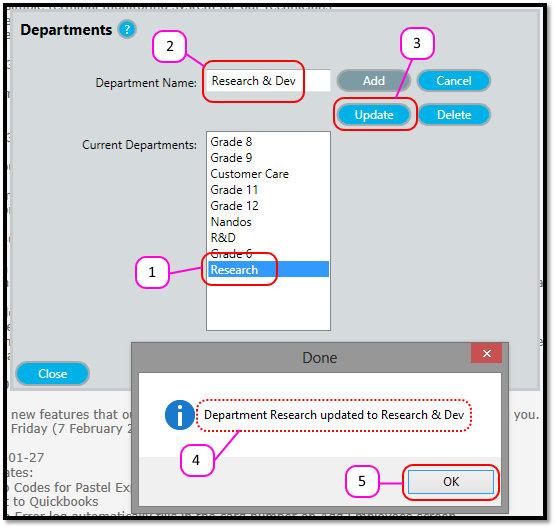
How to update a Department name Kevin Howell July 31, 2017 08:54 Follow Select the department in the Current Departments Enter the new name of the department in the Department Name text box. Click the Update A Message Box will appear that says “Department XXX updated to YYY.” Click OK. Comments 0 comments Please sign in to leave a comment.

Comments
0 comments
Please sign in to leave a comment.