
- Navigate to the Date and time frame that the error transaction took place on. (see Figure 1)
- Select the error transaction. (see Figure 1)
- Click “Recover”. (see Figure 1)
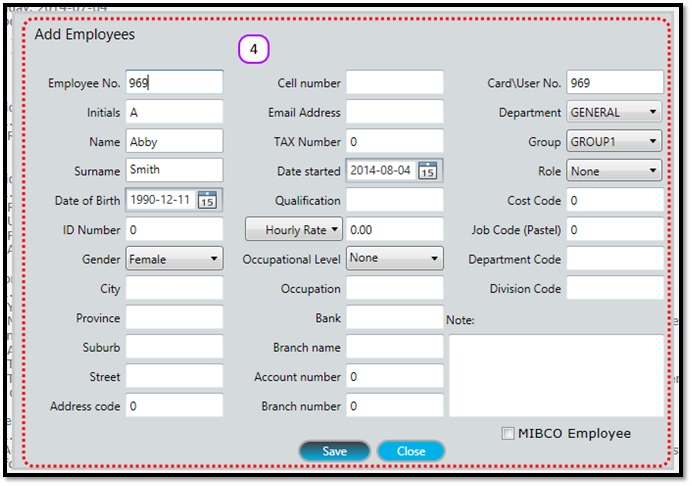
- If you haven’t created the employee on Messenger yet, then the Add Employees screen will appear. Enter the Employee’s details and follow the other steps for creating a new employee. (see Figure 2)
Figure 1
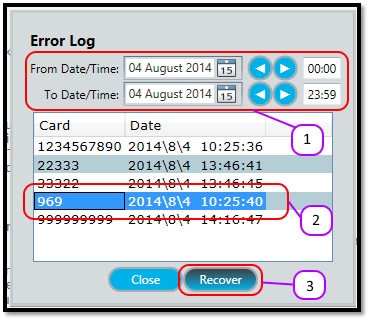
Figure 2
Comments
0 comments
Please sign in to leave a comment.