
The General tab on the Period setup handles the general details of the Period that don’t quite fit into the other tabs. It consists of 4 main sections (see Figure 1), namely:
- Period Name
- Period Week Cycle
- Off-Duty Time Details
- Late Arrival Details
Figure 1
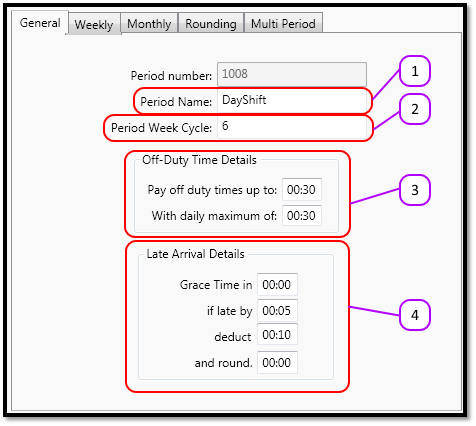
The sections are discussed in detail below.
Period Name
This is the name of the period. The client will see this, and know it as the “Shift”. Since the client is going to see it, the name needs to be descriptive enough for them to identify the Shift.
Period Week Cycle
The period week cycle tells the system how many days there are in a shift period. Please note that this value starts counting at 0 instead of 1. Therefore:
Sunday = 0
Monday = 1
Tuesday = 2
Wednesday = 3
Thursday = 4
Friday = 5
Saturday = 6
So a 7 day week will be written as 6 and NOT 7.
If the client works on a 2 week cycle (aka. a Bi-Weekly cycle) it will be written as 13 and NOT 14.
Off Duty Time Details
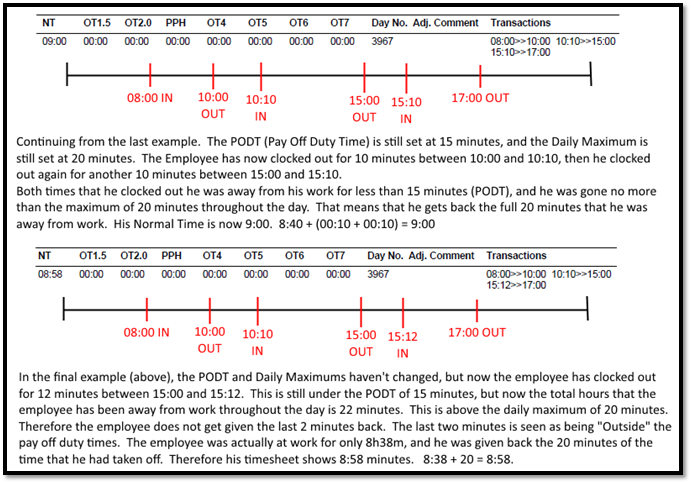
The Off Duty Time Details contains the “Pay off Duty times up to” and “With a daily maximum of”. The Pay Off Duty Times Up To tells the system how many consecutive minutes the employee is allowed to take time off. The With a daily maximum of tells the system how many minutes the employee is allowed to take off throughout the day.
Please see example in Figure 2 and Figure 3.
Figure 2
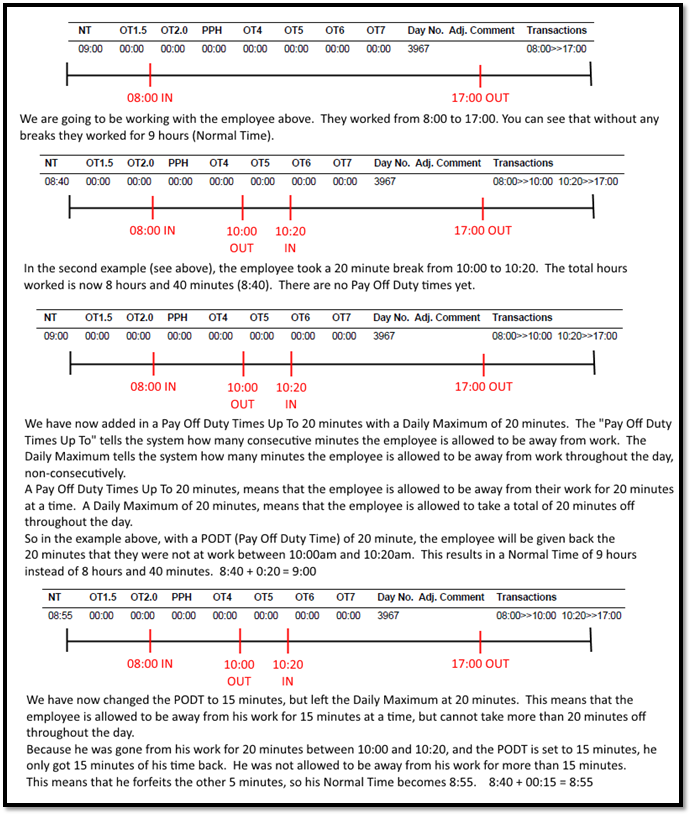
Figure 3
Late Arrival Details
Grace Time In
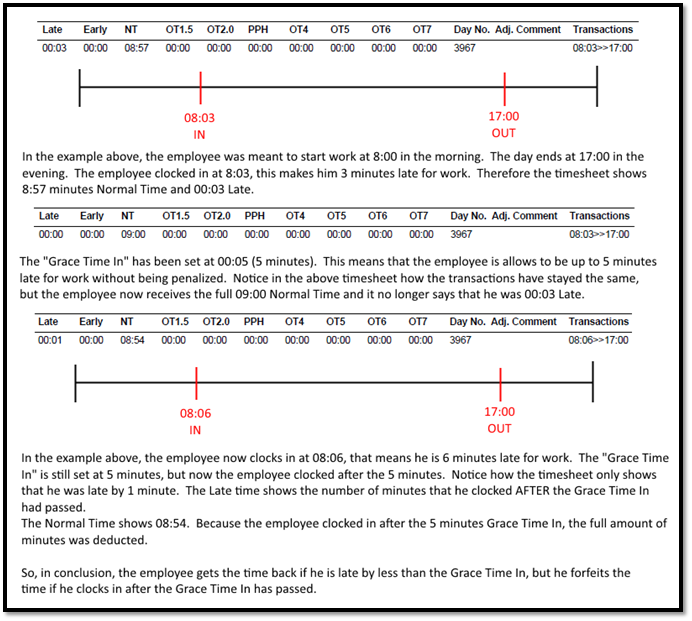
The Grace Time In tells the system by how many minutes the employee is allowed to be late for work. The employee gets the minutes back if he is late by no more than the Grace Time In, but loses all the minutes if he is late by more than the Grace Time In.
Please see the example in Figure 4.
Figure 4
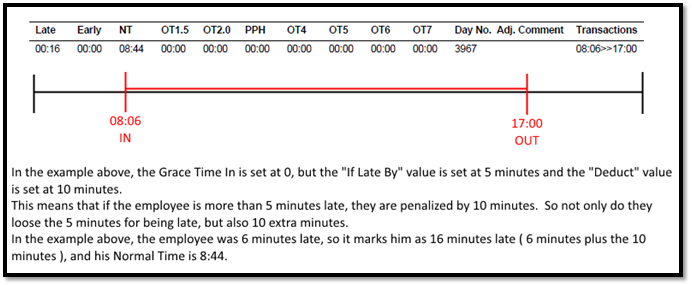
If late by, Deduct
The “If Late By” and “Deduct” work together. This setting tells the system to deduct X (Deduct) number of minutes from the employee if they are late by more than Y (If Late By) number of minutes.
See the example in Figure 5.
Figure 5
Comments
0 comments
Please sign in to leave a comment.