
- Click the Send Payslips (See Figure 1)
- Notice the Send Payslips pop-up is displayed. (See Figure 2)
- Select your email address from the list, or enter your own email address. (See Figure 2)
- Click the Send (See Figure 2)
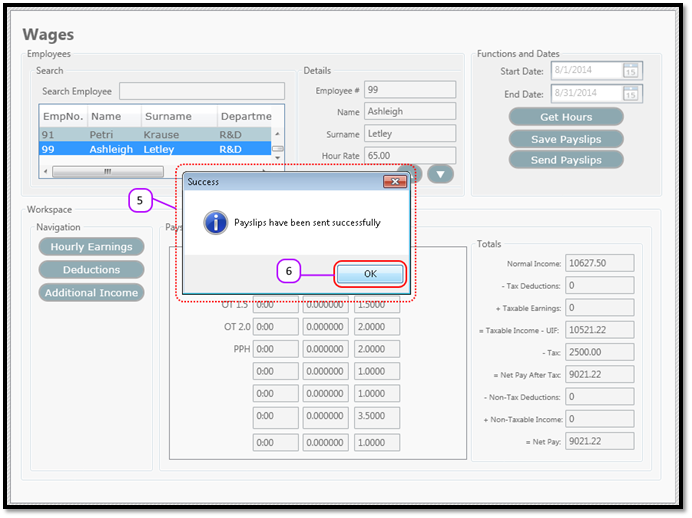
- Notice that a message box pops up to let you know that the pay slips were sent successfully. (See Figure 3)
- Click the OK (See Figure 3)
Figure 1
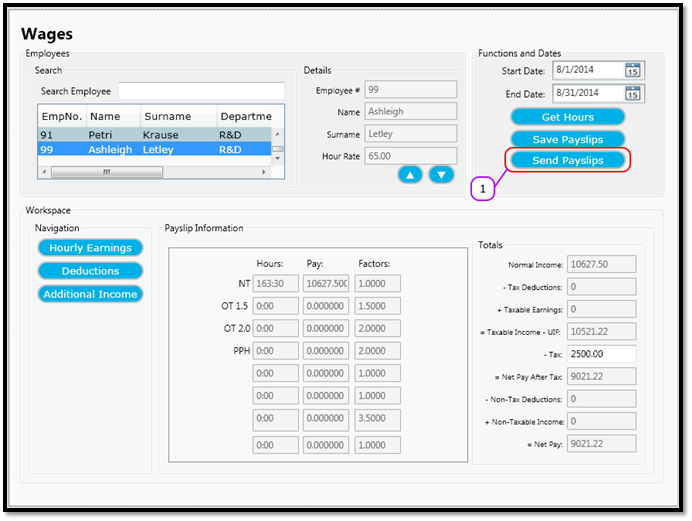
Figure 2
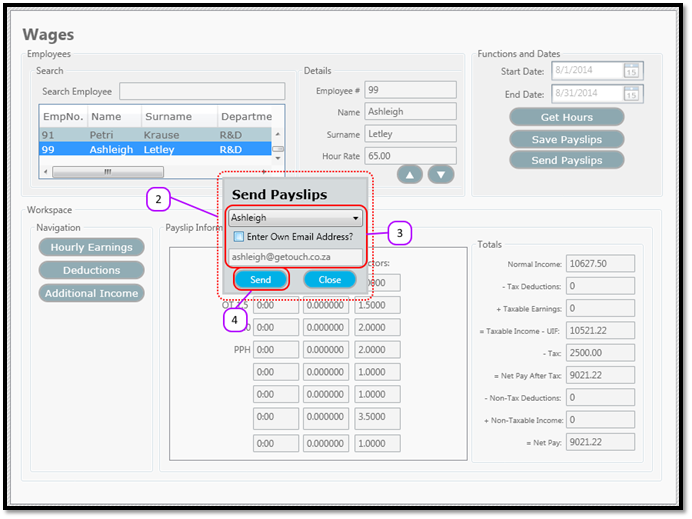
Figure 3
Comments
0 comments
Please sign in to leave a comment.