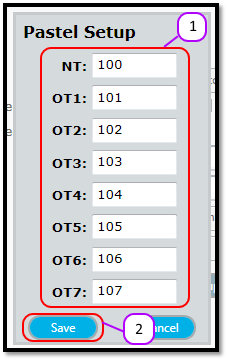
How to edit Pastel column codes Kevin Howell July 31, 2017 07:33 Updated Follow Enter the Pastel Column Code for each of Messenger’s columns in the text box next to each Messenger column. (see Figure 1) Click the Save button. (see Figure 1) Figure 1 Comments 0 comments Please sign in to leave a comment.

Comments
0 comments
Please sign in to leave a comment.