
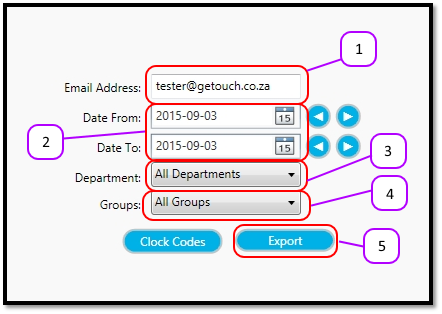
- Enter your email address in the Email Address text box. (see figure 1)
- Enter the Starting date for the export in the Date From date box, and enter the Ending date for the export in the Date To date box. (see figure 1)
- Select the Department you want included in the export. (see figure 1)
- Select the Group you want included in the export. (see figure 1)
- Click Export and watch your inbox for the email. (see figure 1)
Figure 1
Comments
0 comments
Please sign in to leave a comment.