
- Select the Deduction you want to delete from the Deductions (see Figure 1)
- Click the Delete (see Figure 1)
- Notice a pop-up will appear. It warns you that if you delete the deduction then all employees that have the deduction setup for them will have that deduction deleted too. (see Figure 2)
- If your are sure you want to delete the deduction, click Yes. (see Figure 2)
- Notice a message box pops up to let you know that the deduction was successfully deleted. (see Figure 3)
- Click the OK (see Figure 3)
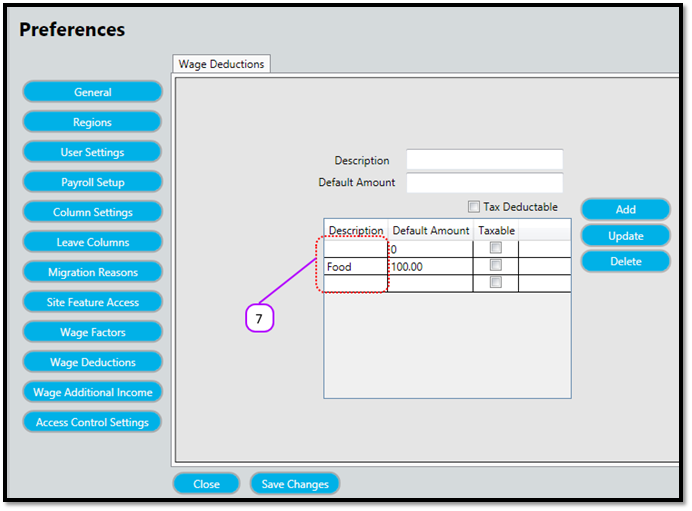
- Notice that the deduction no longer appears on the Deductions (see Figure 4)
Figure 1
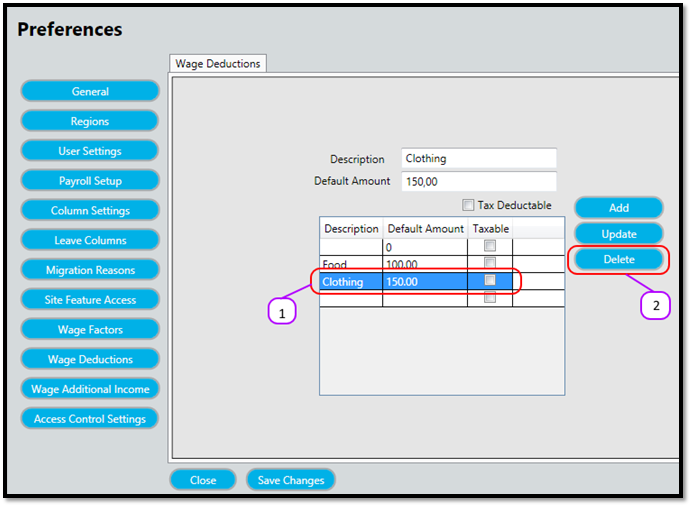
Figure 2
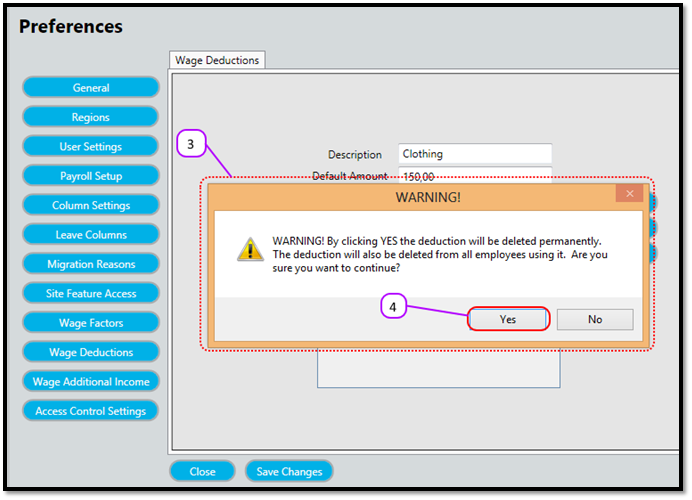
Figure 3
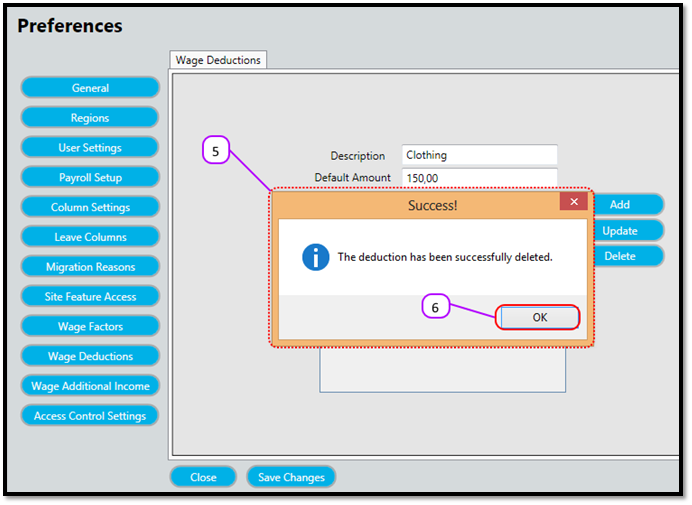
Figure 4
Comments
0 comments
Please sign in to leave a comment.