
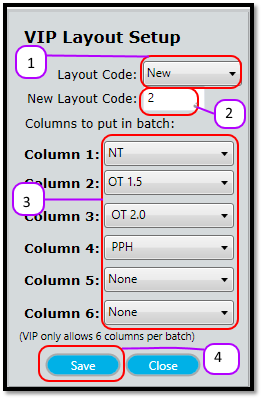
- Select New from the Layout Code (See Figure 1)
- Enter the layout code number in the New Layout Code text box. (See Figure 1)
- Check the checkboxes of the columns you want to include in the layout code. Please note, VIP only allows 6 columns per layout code. (See Figure 1)
- Click the Save (See Figure 1)
Figure 1
Comments
0 comments
Please sign in to leave a comment.