
The Report Wizard is the part of Messenger that allows you, the user, to request reports as you want them.
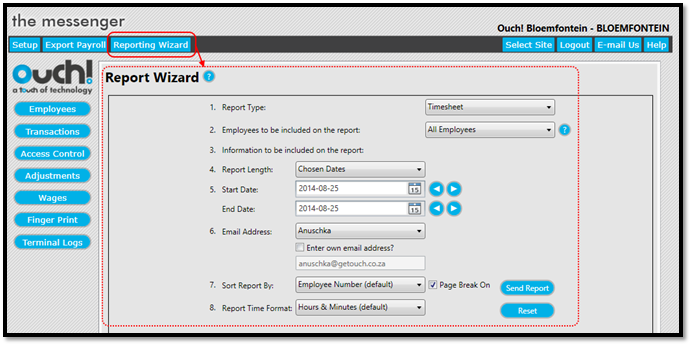
By providing Messenger with some basic information, including:
- The type of report you want
- Which employees must be included on the report
- The date range for the report (if applicable)
- The email address that must receive the report
Messenger can make the report and send it to the email address you have provided.
The Report Wizard is accessed by clicking on Report Wizard in the Main Menu of Messenger. (See Figure 1)
Figure 1
Comments
0 comments
Please sign in to leave a comment.