
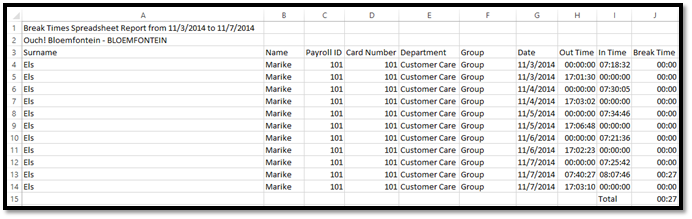
The Excel Break Times report shows the amount of time elapsed between breaks. It will thus calculate the amount of time between an Out and In clocking within the employee’s shift.
The Excel Break Times report is ordered according to:
- Payroll ID
- Department
- Date
See Figure 1 for an example of an Excel Break Times Report.
Figure 1
Comments
0 comments
Please sign in to leave a comment.