
- Enter the name of the department in the Department Name text box. (See Figure 1)
- Click the Add (See Figure 1)
- The “Add Group” box will appear. (See Figure 2)
- Enter the name of the first group that will be linked with the department. All departments must have at least one group linked to them. (See Figure 2)
- Click Add. (See Figure 2)
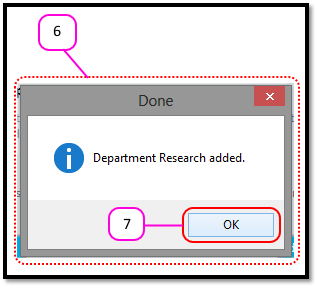
- A Message Box will appear that says “Department XXX added.” (See Figure 3)
- Click OK. (See Figure 3)
Figure 1
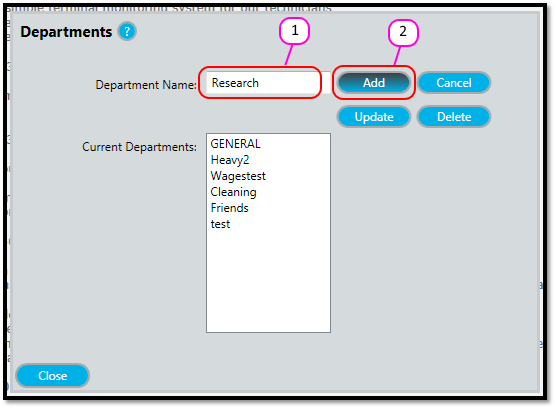
Figure 2
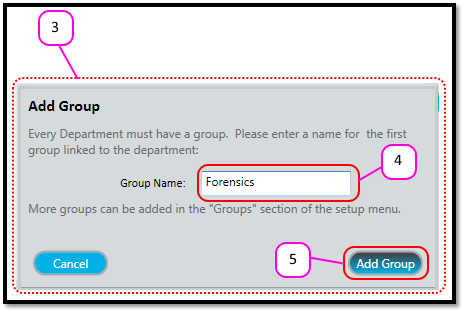
Figure 3
Comments
0 comments
Please sign in to leave a comment.