
The Weekly tab on the Period setup handles the weekly shift setup details for the period.
Please note that since this is the Weekly period setup, it will only apply to timesheets that are drawn weekly (7 day timesheets).
The screen consists of
- Minimum Time (for each of the 8 Messenger Columns)
- Maximum Time (for each of the 8 Messenger Columns)
- Bonus (for each of the 8 Messenger Columns)
- Threshold (for each of the 8 Messenger Columns)
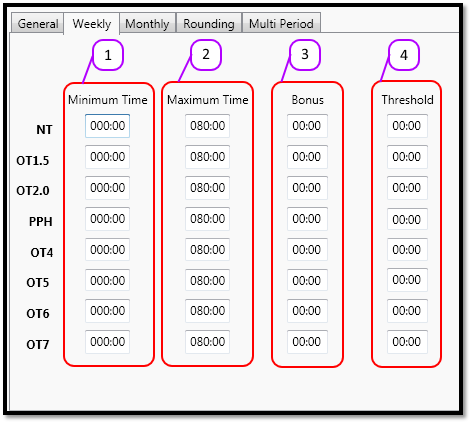
Figure 1
These 4 sections are explained in more detail below.
Minimum Time
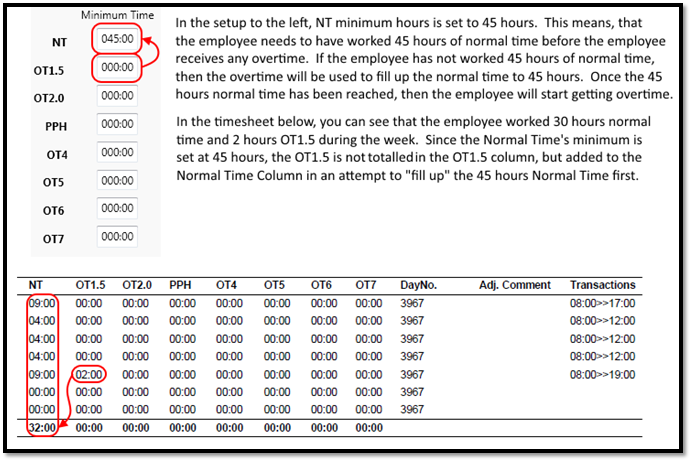
The minimum time tells the system how many hours an employee HAS to work before they can get any overtime. The Minimum Time works like a waterfall that flows upwards, the column below will be used to fill up the column above.
See the example in Figure 2.
Figure 2
Maximum Time
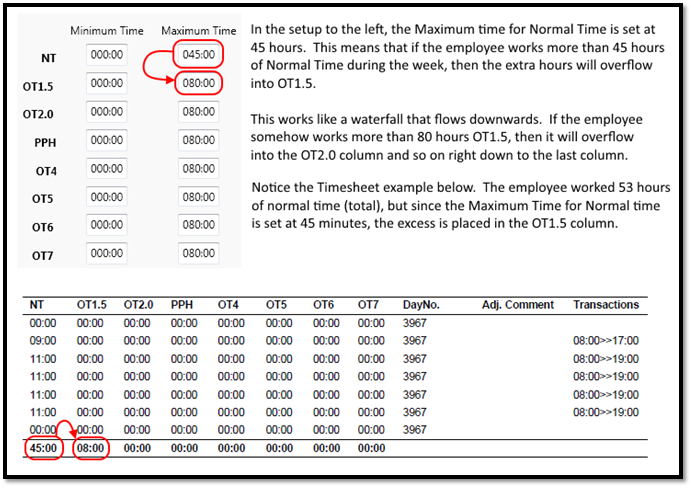
The maximum time tells the system how many hours an employee may work for a certain column. If the employee works more than that number of hours then the hours will overflow into the next column. The Maximum Time works like a waterfall that flows downwards, the column above will overflow into the column below.
See the example in Figure 3.
Figure 3
Bonus and Threshold
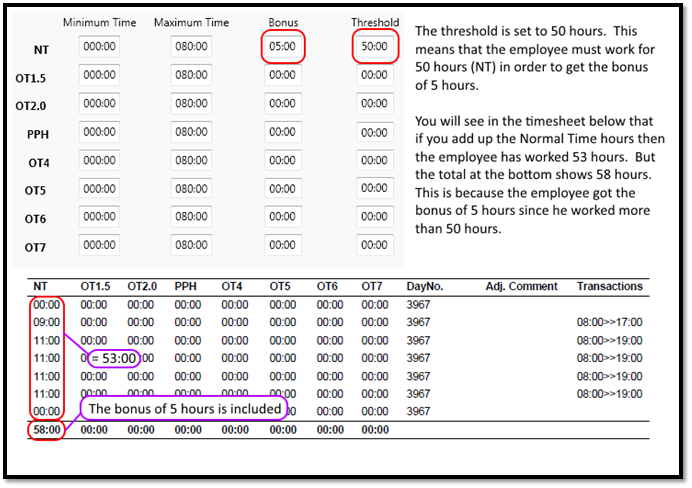
The Bonus and Threshold work together. The threshold tells the system how many hours/minutes the employee needs to have worked before they are given the Bonus hours/minutes. So if the threshold is set to 8 hours, and the bonus is set to 2 hours, then the employee needs to work 8 hours before they are given the bonus of 2 hours. This feature is normally used for public holidays.
See the example in Figure 4.
Figure 4
Comments
0 comments
Please sign in to leave a comment.