
The Column Settings tab on the Preferences screen is used to setup the column headings that will show on the timesheet. It can also be used to setup the Sum of Columns (this will be explained in detail below).
This tab contains the following controls (see Figure 1):
Figure 1
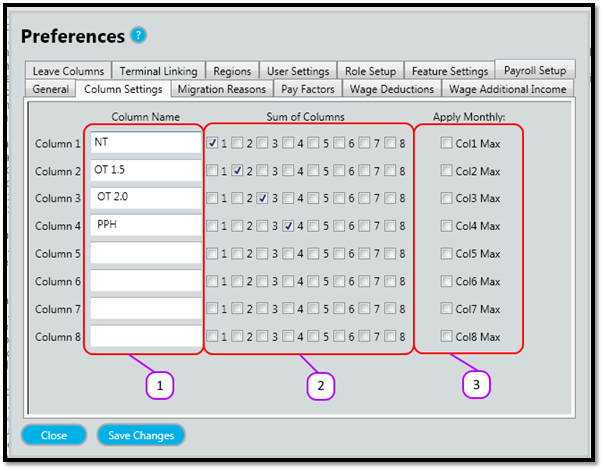
- Column Names text boxes
- Sum of Columns check boxes
- Apply Monthly check boxes
Column Names
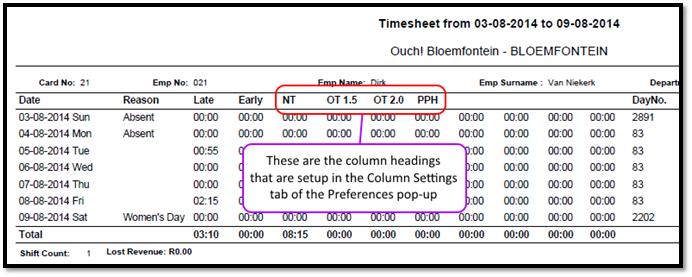
The column names appear on the timesheet as they are typed in the text boxes above. The also appear in various other parts of the Messenger Website and on some of the other Messenger Reports.
See Figure 2 for an example of the column names on the timesheet.
Figure 2
Sum of Columns
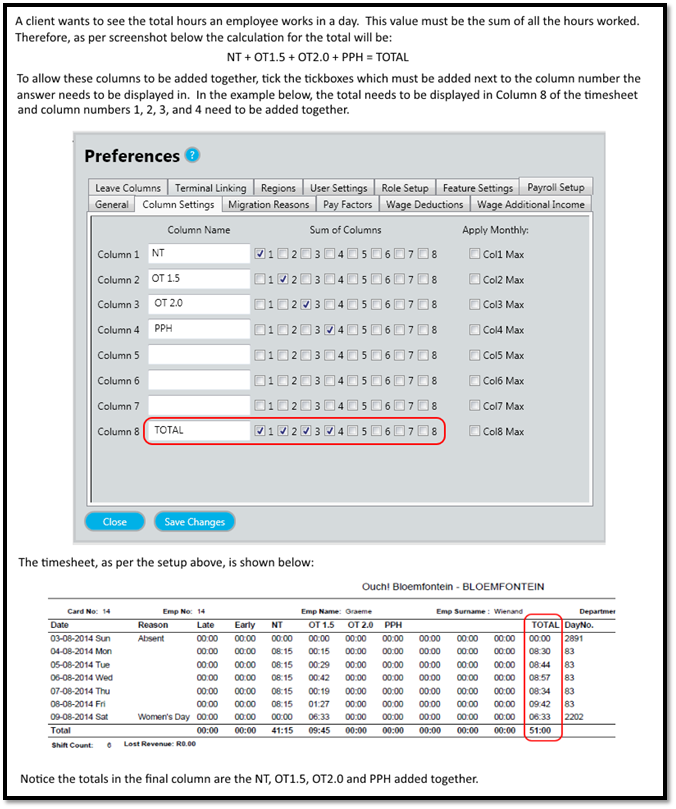
The sum of columns allows you to add columns together so that their total appears on the timesheet.
See Figure 3 for an example.
Figure 3
Apply Monthly Max
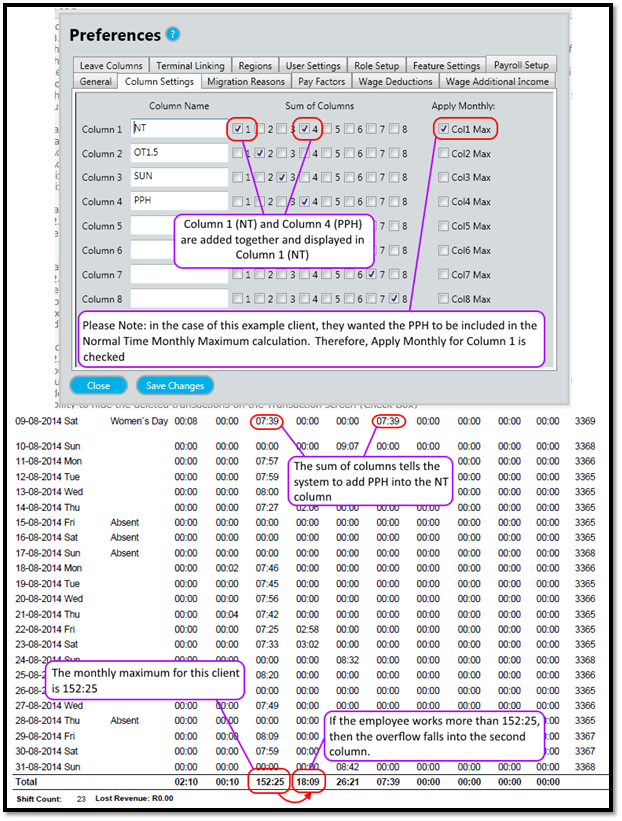
If this is checked, then the Monthly Max on the Period setup will be applied when calculating the sum of the selected columns.
Only 1 client is using this, it was created for that client.
See Figure 4 for an example.
Figure 4
Comments
0 comments
Please sign in to leave a comment.