
- Select the Additional Income you want to delete from the Additional Incomes (see Figure 1)
- Click the Delete (see Figure 1)
- Notice a pop-up will appear. It warns you that if you delete the additional income then all employees that have the additional income setup for them will have that additional income deleted too. (see Figure 2)
- If your are sure you want to delete the additional income, click Yes. (see Figure 2)
- Notice a message box pops up to let you know that the additional income was successfully deleted. (see Figure 3)
- Click the OK (see Figure 3)
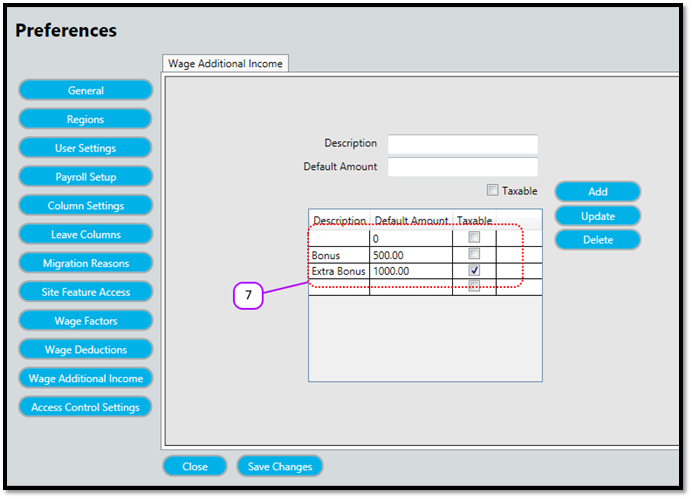
- Notice that the additional income no longer appears on the Additional Incomes (see Figure 4)
Figure 1
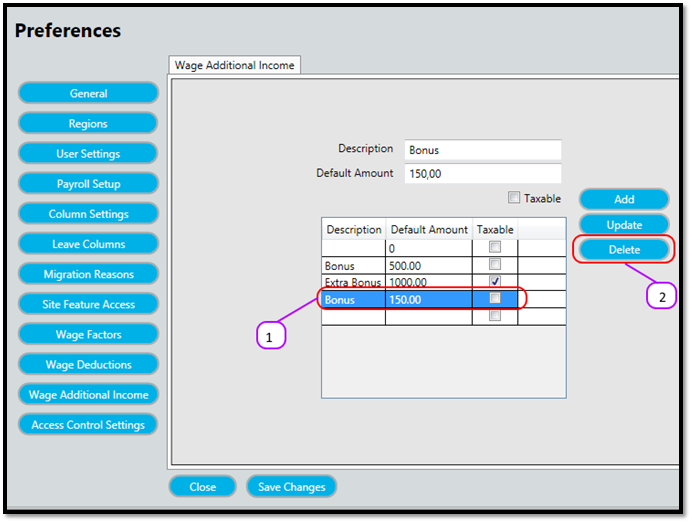
Figure 2
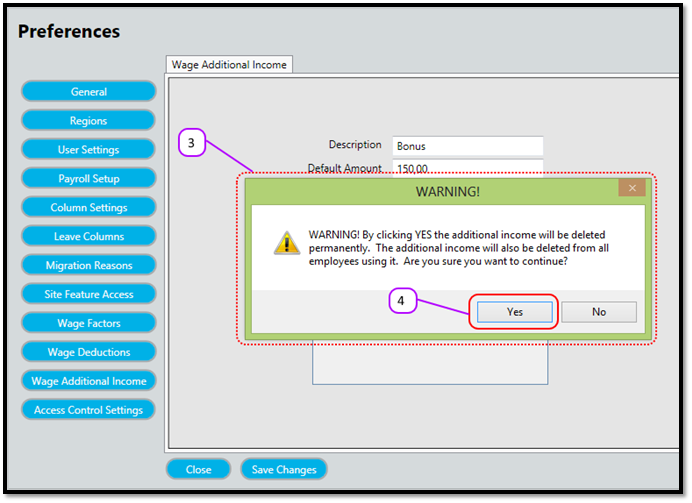
Figure 3
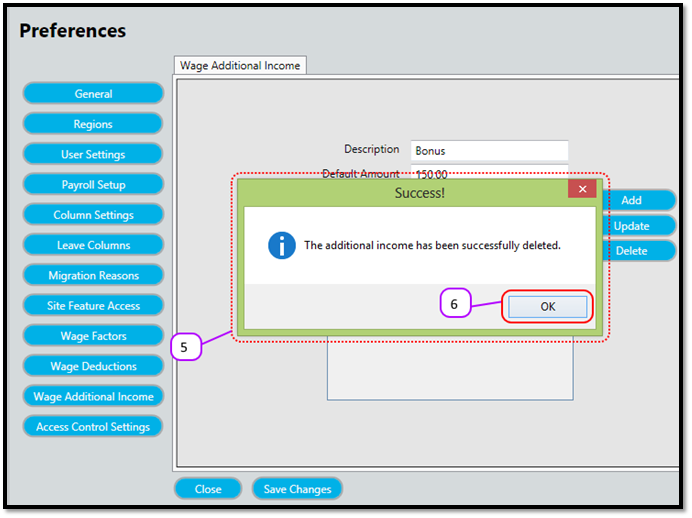
Figure 4
Comments
0 comments
Please sign in to leave a comment.