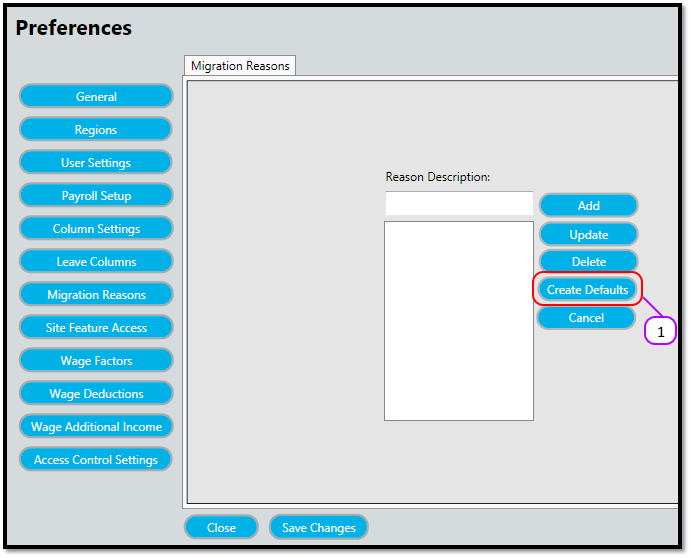
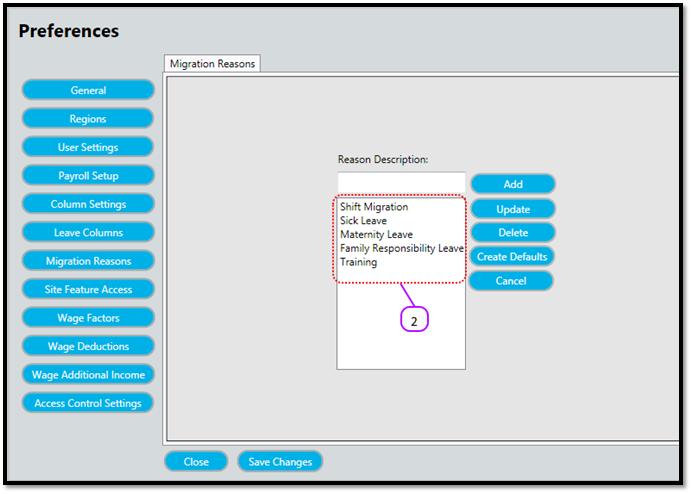
How to create default Migration/Adjustment Reasons Kevin Howell July 31, 2017 09:35 Updated Follow Click the Create Defaults (See figure 1) Notice how the default Migration/Adjustment Reasons appear in the list. (See figure 2) Figure 1 Figure 2 Comments 0 comments Please sign in to leave a comment.

Comments
0 comments
Please sign in to leave a comment.